
Household and Organization vaults now appear on your dashboard under their vault name, making them easier to identify at a glance.
Finding the right vault on your dashboard is now easier.
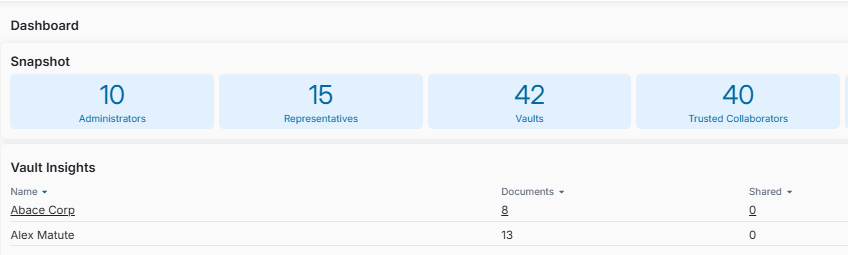
When a Household or Organization vault appears on your dashboard, FutureVault now displays its Vault Name (for example, The Smith Family or Smith Holdings Ltd.) instead of only the first and last name of the primary user.
Why This Matters (Benefits)
- Easier to recognize: See the household, family, trust or business name right on your dashboard.
- Fewer mix-ups: Tell similar vaults apart without opening them.
- Faster search: Search your dashboard by vault name.
What Problem It Solves
Previously, Household and Organization vaults were listed on the dashboard by the primary user’s first and last name. When a vault represented a family, trust or business, that name didn’t always make it clear which vault was which.
How It Works
Household and Organization Vaults
The dashboard shows the vault name configured for the vault, matching the Vault Name on its details page.
Search by Vault Name
You can find these vaults on your dashboard by searching for their vault name.
Note: The name shown comes from the vault’s Vault Name. To change it, edit the Vault Name on the vault’s details page.