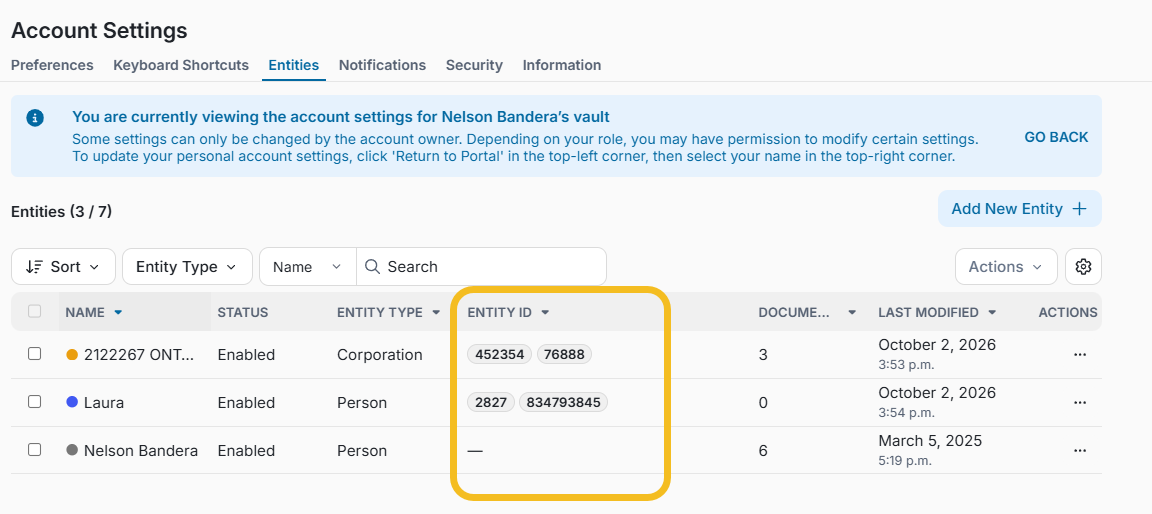
Companies can now manage the view and edit permissions for the Reference Numbers and new Entity IDs, giving organizations greater flexibility and security over who can access and modify these key identifiers.
Organizations can now configure separate View and Edit permissions for these fields, ensuring only authorized users can view or change them.
This release also introduces Entity IDs, allowing organizations to associate one or more identifiers with an entity.
Why This Matters (Benefits)
Entity IDs and Reference Numbers can play a critical role in automated integrations and workflows, where they may be used to identify, match, or tag Vaults, entities, and related information.
An accidental change or removal of one of these identifiers can disrupt the connection between FutureVault and an organization's automated processes.
Release 5.54 provides greater protection for these integrations by allowing organizations to separate the ability to view an identifier from the ability to edit it. Users who need the information can be given View access, while Edit access can be restricted to only those responsible for maintaining these mappings.
This reduces the risk of accidental changes or deletions and helps preserve the integrity of automated workflows.
What Problem It Solves
For organizations using integrations and automated workflows, identifiers such as Reference Numbers and Entity IDs can be critical to correctly matching and tagging Vaults, entities, documents, or records between systems.
Previously, users with access to manage these records could also modify identifiers, even when their role didn't include changing those values. An identifier could therefore be accidentally changed or removed, potentially breaking the mapping used by an integration or automation.
There was also no way to give someone access to see an identifier without also allowing them to change it.
With Release 5.54, organizations can separate View and Edit access. This means users who need the identifier for reference can still see it, while only authorized users can modify it.
This helps prevent:
Accidental changes or removal of identifiers used by integrations.
Broken mappings between FutureVault and external systems.
Incorrect tagging or association of Vaults and entities.
Unnecessary edit access for users who only need to reference the information.
Difficulty tracing changes when an identifier is updated.
What's New
Granular View and Edit Permissions
Access to Entity IDs and Reference Numbers can now be controlled through permissions configured at the Portal and individual user level.
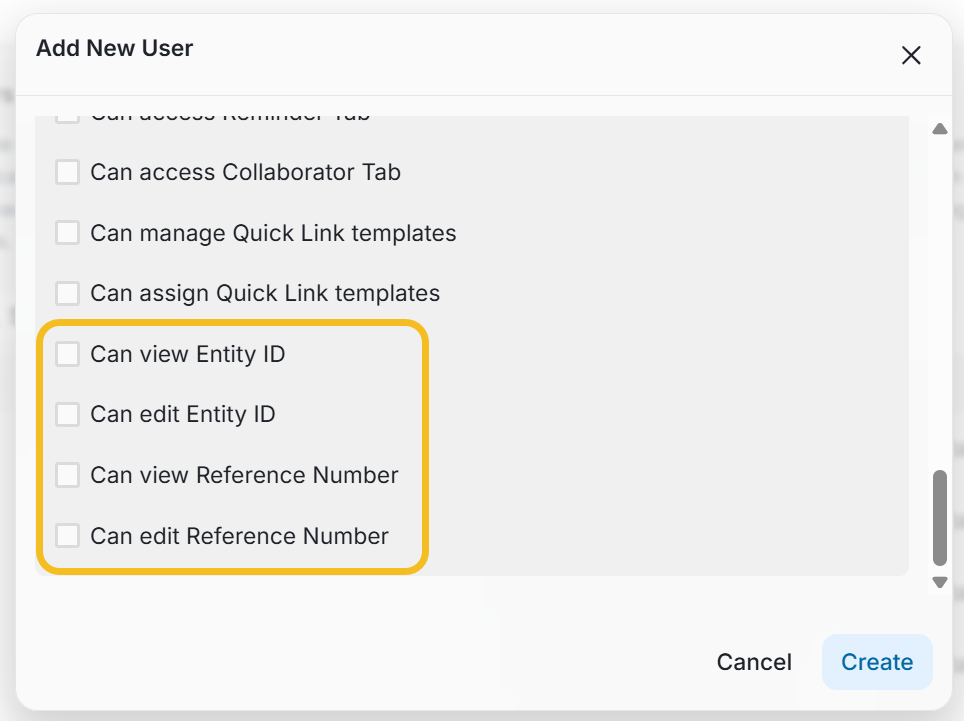
This allows organizations to determine which Admins and Representatives can:
View Entity IDs and Reference Numbers.
Edit Entity IDs and Reference Numbers.
For organizations using these identifiers as part of an integration or automated workflow, Edit access can be limited to authorized users while still allowing other users to view the information they need.
Introducing Entity IDs
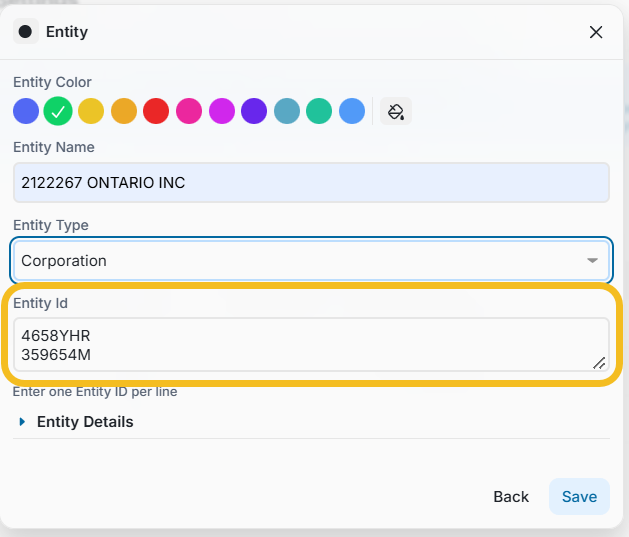
Authorized users can now add one or more Entity IDs when creating or editing an entity. Click Enter to separate IDs.
Entity IDs are also available directly from the Entities Settings page through a new sortable column, making it easier for authorized users to review and manage entity information.