
We are excited to introduce the new Collaborators page, designed to simplify collaborator management and provide greater visibility into collaborator access across your organization.
Instead of reviewing collaborators one vault at a time, authorized users can now access a centralized page to view, manage, and support collaborators more efficiently.
Why This Matters (Benefits)
As organizations grow, managing collaborator access across multiple vaults can become time-consuming.
The new Collaborators page provides a single location to:
- Review collaborator access
- Identify which vaults collaborators can access
- Support MFA-related requests
- Export collaborator information for operational or compliance purposes
What Problem It Solves
Previously, administrators often needed to access individual vaults to review collaborator information and permissions.
The new Collaborators page centralizes this information, reducing administrative effort and improving visibility across the organization.
How It Works
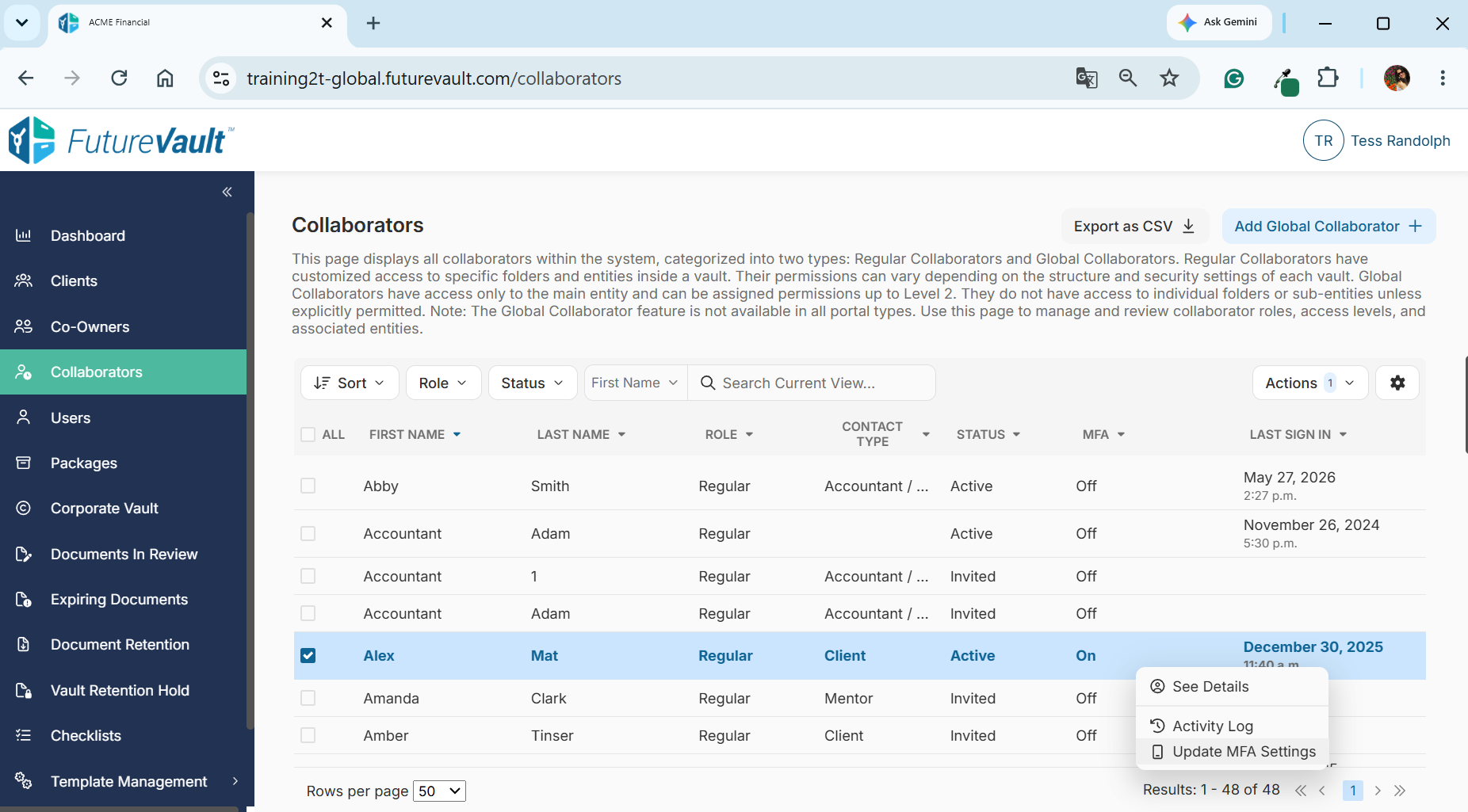
Centralized Collaborator List
View collaborators from a single location without needing to navigate between vaults.
Depending on your organization's configured Collaborator Visibility settings, users may see:
- All collaborators across the organization
- Collaborators associated with their assigned clients or vaults
- A restricted list based on role and permissions
Vault Access Visibility
Quickly see which vaults a collaborator has access to directly from the Collaborators page.
This makes it easier to:
- Review access permissions
- Conduct audits
- Answer access-related questions
- Support compliance reviews
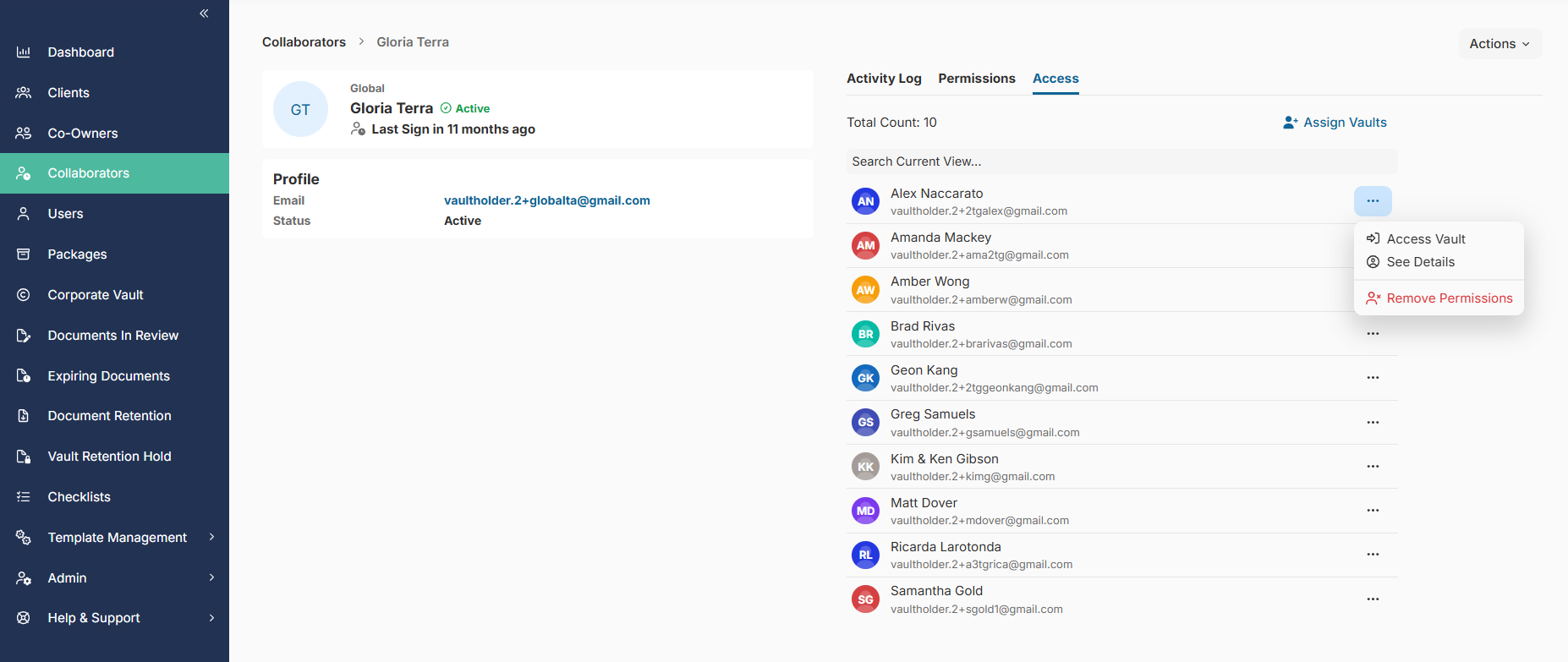
Direct Vault Access
Navigate directly to a vault from the Collaborators page to review access or perform administrative tasks.
MFA Management
Authorized users can support collaborators with Multi-Factor Authentication (MFA) issues directly from the Collaborators page.
This includes the ability to remove MFA enrollment when required, allowing users to reconfigure MFA and regain access to their accounts.
Export Collaborator Information
Export collaborator information for reporting, compliance reviews, or operational purposes.
Important Notes
- Access to the Collaborators page is controlled through user permissions.
- Collaborators displayed are determined by your organization's configured Collaborator Visibility settings.
Be among the first to experience the new Collaborators page, providing a centralized location to view collaborator access, vault permissions, MFA status, and more. Contact your Customer Success team to request early access.