
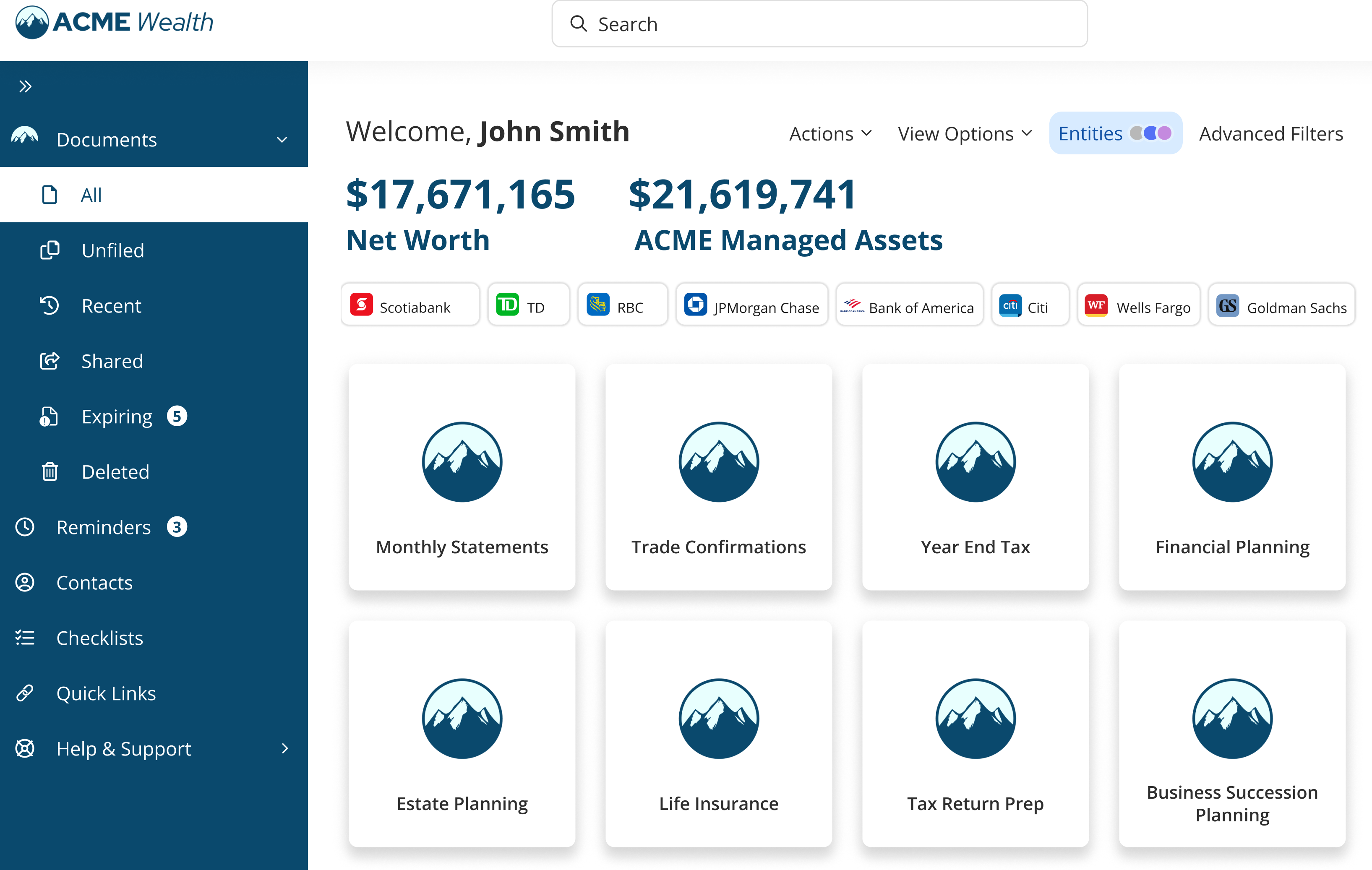
This enhancement introduces the ability to display household Financial Snapshot information directly within the vault dashboard experience. Organizations can now provide a more centralized and personalized experience by surfacing key financial values inside the vault using daily data feeds and configurable administrative controls.
Why This Matters (Benefits)
Organizations often want to provide clients and advisors with quick visibility into key household financial information without requiring access to multiple systems or reports.
With this enhancement, firms can now send daily financial data feeds to FutureVault, allowing the platform to display household Financial Snapshot values directly inside the vault dashboard experience.
Supported values include:
- Total Net Worth
- Company Managed Assets
This creates a more centralized digital experience while allowing organizations to maintain control over visibility and editing permissions.
Benefits include:
- Improved client dashboard experience
- Faster access to key household financial information
- More personalized vault experiences
- Centralized visibility for advisors and clients
- Administrative flexibility and governance controls
What’s Included
Financial Snapshot Dashboard Display
Organizations can now display Financial Snapshot values directly inside the vault dashboard. Displayed values may include:
- Total Net Worth
- Company Managed Assets
The information is displayed directly within the vault experience for authorized users.
Daily Financial Data Feed Support
Organizations can provide FutureVault with a daily data feed containing Financial Snapshot values for households. The platform will automatically:
- Process the daily feed
- Match values to the appropriate vaults
- Display updated Financial Snapshot information within the vault dashboard
Ad Hoc Visibility Controls
Administrators and Reps can now manage Financial Snapshot visibility on a per-vault basis. This allows organizations to:
- Show or hide Financial Snapshot information per household
- Adjust visibility based on operational or compliance requirements
- Enable a more customized vault experience
New Permission: Can Edit Client Financial Snapshot
A new permission is now available for Administrative users and Representatives.
Users with this permission can manage the displayed financial values.
How It Works
Daily Feed Processing
Organizations send a daily financial data feed containing household Financial Snapshot values.
FutureVault automatically:
- Processes the incoming data
- Associates values with the correct vaults
- Displays the information within the vault dashboard experience
Administrative Controls
Administrators can:
- Show or hide Financial Snapshots per vault
- Assign edit permissions to selected users
User Experience
When enabled:
- Financial Snapshot information appears directly within the vault dashboard
- Authorized users can hide or show the displayed values