
This release introduces expanded Representative permissions designed to help organizations delegate operational workflows more efficiently. Administrators can now grant selected Representatives access to create vaults and manage Quick Links directly within the platform, reducing administrative bottlenecks while maintaining control over available configurations and workflows.
Why This Matters
Many organizations rely on Administrative users to manage day-to-day operational tasks, such as onboarding new vaults and maintaining Quick Links across portals and vaults.
The new release introduces new delegated workflow permissions that allow organizations to distribute these responsibilities more efficiently while maintaining governance and operational consistency.
Benefits include:
- Faster onboarding workflows
- Reduced dependency on Administrative teams
- Improved operational scalability
- Better delegation of routine management tasks
- Controlled access to approved workflows and configurations
What’s Included
Vault Creation Permissions
Administrators can now grant selected Representatives permission to create vaults directly within the platform. Admins can also control:
- Which templates can Representatives use
- Which vault package configurations are available
- Co-owners inside a vault
This helps organizations maintain consistency while allowing teams to onboard clients more efficiently.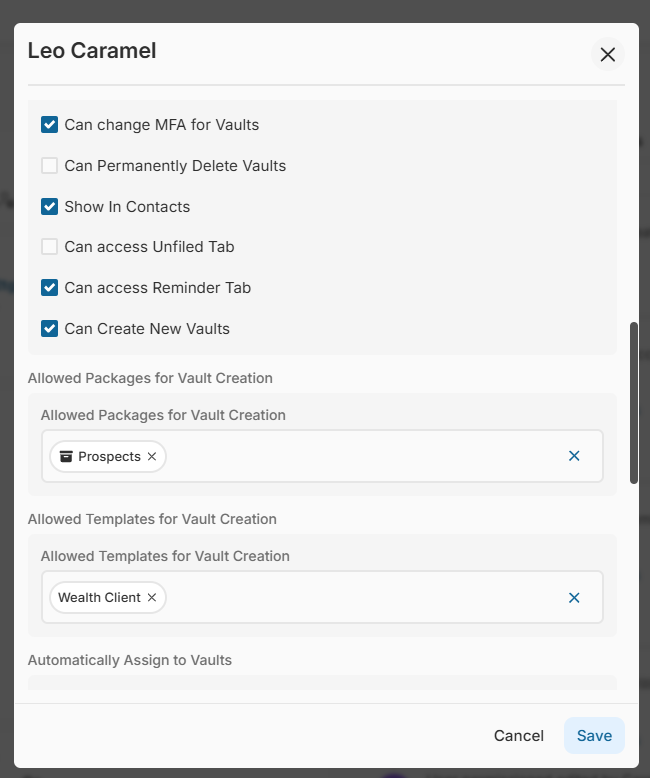
Quick Link Management Permissions
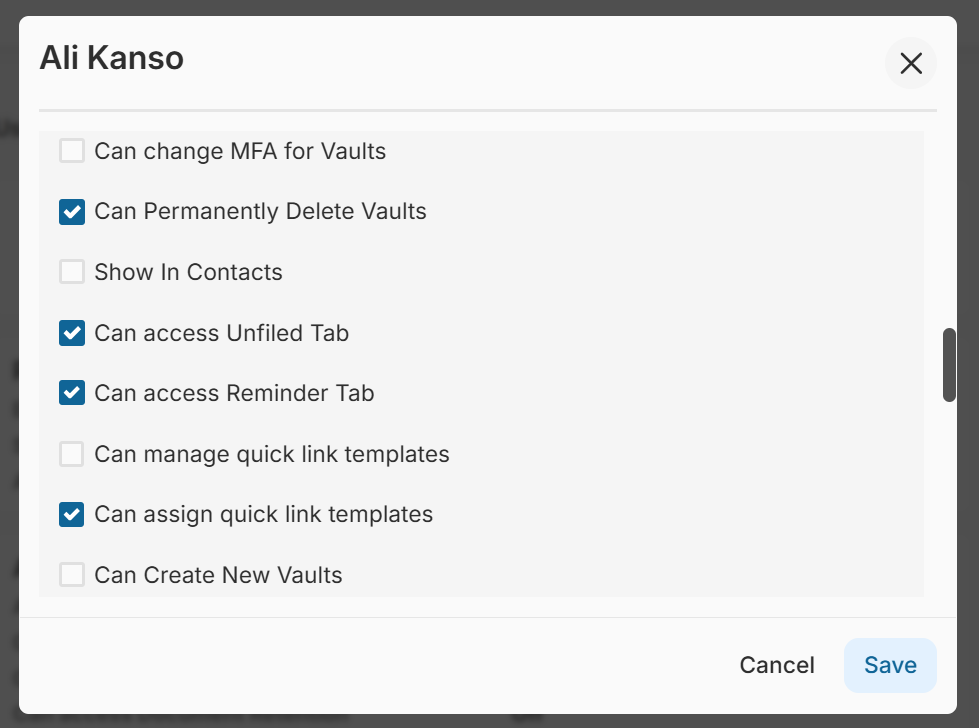
New permissions are also available for Quick Link management workflows. Administrators can now allow selected Representatives to:
- Create Quick Link templates
- Assign Quick Links to vaults
- Add and remove Quick Links from those vaults they have access to
This enhancement helps organizations respond faster to operational requests without requiring full administrative involvement.
How It Works
Administrative Setup
Administrators can assign permissions directly through user management settings. Depending on the permissions enabled, Representatives may receive access to:
- Vault creation workflows
- Approved templates and package types
- Quick Link management tools
- Quick Link assignment workflows
Representative Experience
Once permissions are enabled:
- Representatives will only see the workflows and configurations assigned to them
- Existing user experiences remain unchanged
- Administrative oversight and permission management remain fully controlled by Admin users
Important Notes
- These are feature-flag controlled enhancements
- Availability may vary depending on your portal configuration
- Permissions can be enabled or removed at any time by Administrators
- Existing administrative permission structures remain unchanged
To learn more or request enablement, please contact Customer Success.