Administrative users can now control when — or if — email notifications are triggered during manual file uploads. This enhancement reduces unnecessary notifications and gives greater flexibility in managing client communications.
Request this new flow to our Customer Success Team.
Why This Matters (Benefits)
Reduces excessive or mistimed client notifications.
Provides precise control over communication timing.
Improves bulk upload workflows.
Enhances client experience by limiting notification fatigue.
Aligns manual uploads with communication best practices.
What Problem It Solves
Previously:
Manual uploads automatically triggered immediate email notifications per document.
There was no ability to delay or suppress notifications.
High-volume uploads often generated unnecessary email noise.
Now:
When enabled, users are prompted to select how notifications should be handled when uploading.
Notification timing becomes intentional and configurable.
Administrative users can prevent communication overload for clients.
How It Works
This is a portal-level flag feature.
Contact Customer Success to enable the Upload Notification Prompt.
Upload Prompt Behaviour (When Enabled)
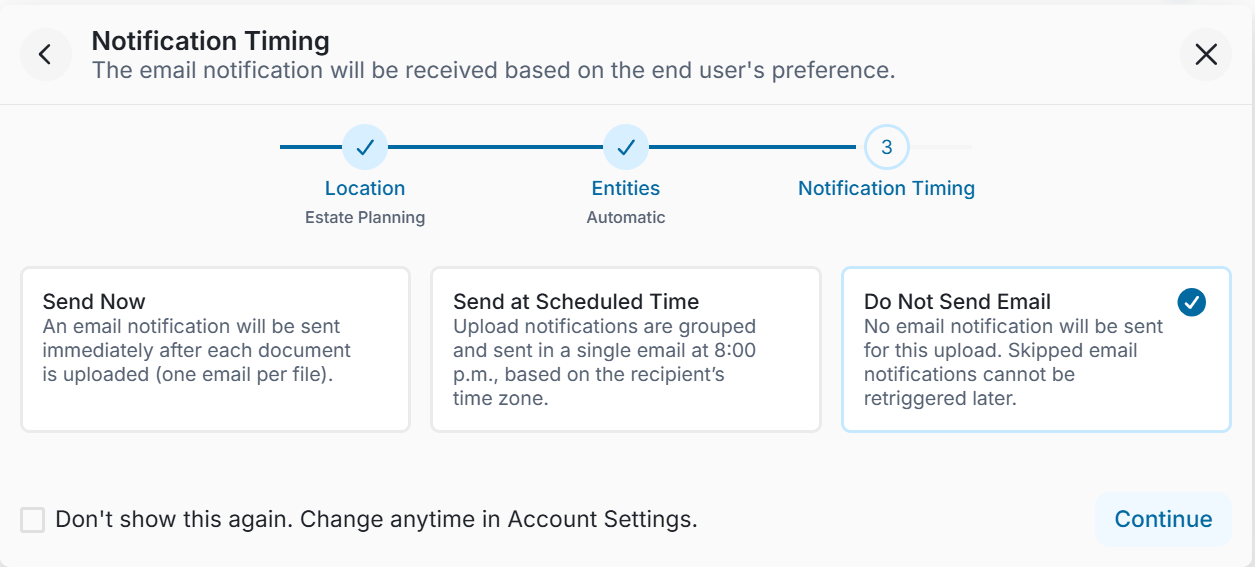
When an administrative user manually uploads file(s), a prompt window appears:
Notification Options
(Only one option can be selected)
- Send Now - An email notification per file will be sent immediately after the document is uploaded.
- Send at Scheduled Time - Upload notifications will be grouped into a single email and will be sent at 8:00 p.m.
- Do Not Send Email - No email notification will be sent for this upload.
Skipped email notifications cannot be retriggered later.
Managing Default Notification Timing
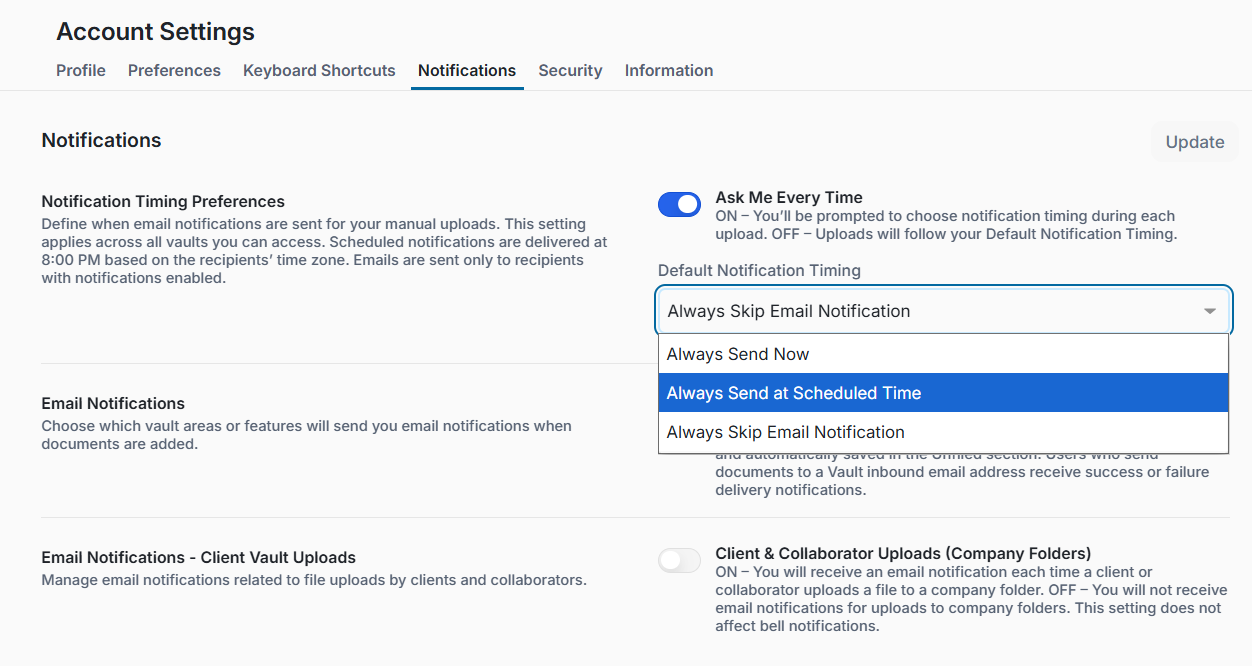
Users can return to the portal to manage their default notification behaviour:
Notification Timing Preferences
Define how email notifications are handled when uploading files manually.
Ask Me Every Time
- ON – You’ll be prompted to choose notification timing during each upload.
- OFF – Uploads will follow your Default Notification Timing.
Default Notification Timing - Users can define their preferred default option if prompts are disabled.