We’ve implemented several bug fixes and usability improvements to enhance system stability, improve permission handling, and streamline everyday workflows across all portal types.
Why This Matters (Benefits)
Prevents accidental workflow interruptions
Improves upload reliability across permission structures
Enhances search visibility in smaller browser views
Reduces administrative errors when assigning representatives
Improves upload behaviour in Essential vaults
What Problem It Solves
Several usability and permission-related issues were identified across different workflows. These could result in interrupted actions, limited visibility, or unexpected behaviour. These issues have now been resolved to ensure a more stable and intuitive user experience.
How It Works (What Was Fixed)
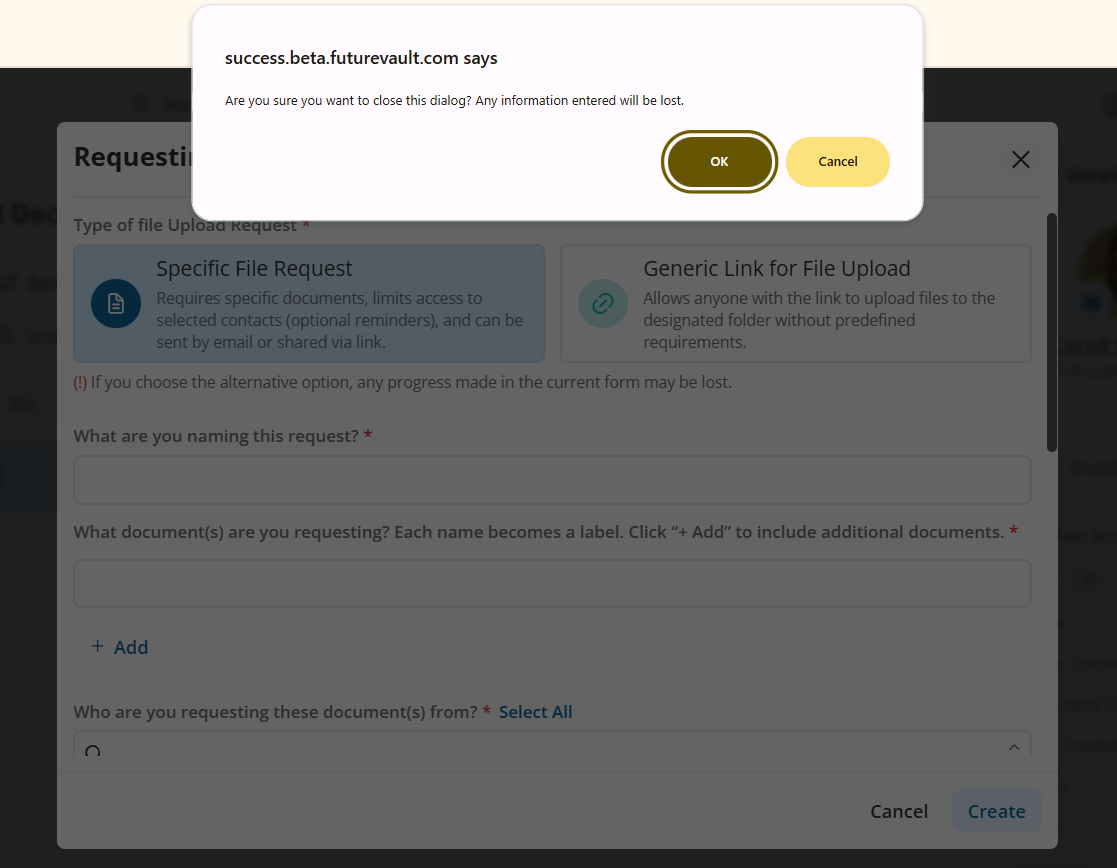
1️⃣ Request Link Modal Stability
Previously:
When creating a Request Link, clicking outside the modal window would immediately close it, potentially causing users to lose progress.
Now:
If a user clicks outside the modal, a warning message appears to prevent accidental closure.
2️⃣ Search Visibility in Small Browser - on mobile devices
Previously:
In smaller devices or divided browser windows, the search field was not visible in the client list view.
Now:
The search bar remains visible and accessible even on smaller screens.
3️⃣ Partial Entity Permission Upload Issue
Previously:
Users with partial entity permissions could not upload files if the folder entity did not match their assigned entity permissions. This generated upload errors and workflow confusion.
Now:
Upload behaviour correctly validates entity permissions, preventing system errors and ensuring proper upload handling when entity access is aligned.
4️⃣ Inactive Representatives Hidden from Assignment List
Previously:
Inactive representatives were still visible when assigning reps to vaults, increasing the risk of incorrect assignments.
Now:
Inactive representatives are hidden from the assignment list to prevent administrative errors.
5️⃣ Essential Vault Upload Blank Page Issue
Previously:
Uploading directly to an Essential vault could display a blank page instead of prompting the user to select a location.
Now:
Users are prompted to select a destination when uploading directly to the Unfiled section of an Essential vault.
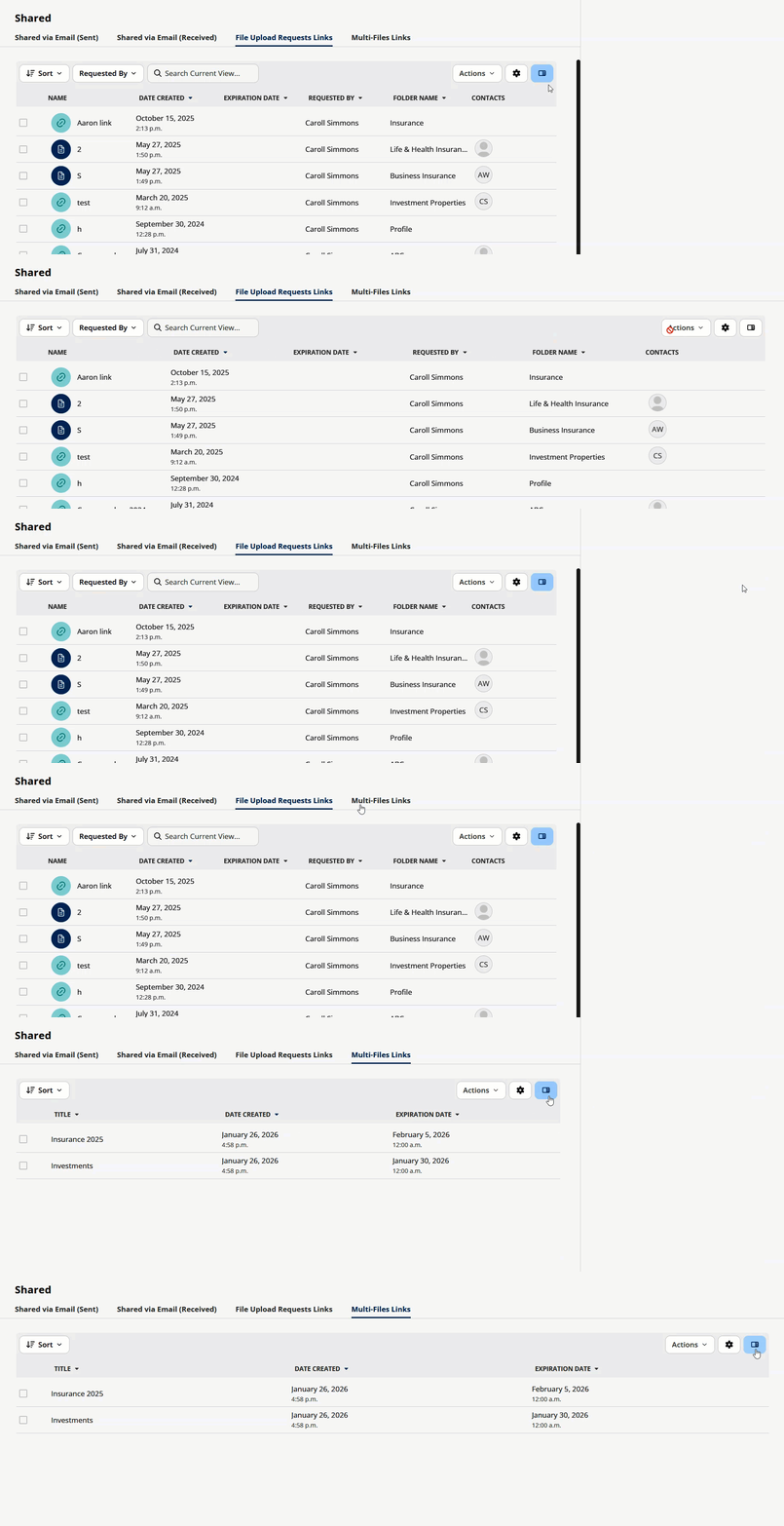
6️⃣ Share Tab - Side panel always displayed on File Upload Requests / Links Multi-Files Links tab
Previously:
In the File Upload Requests / Links Multi-Files Links tab, the side panel was always displayed, even though it had no information.
Now:
A new hide Side Panel icon is available in all tabs under the Share Tab, to unify user experience, and allow users to hide the side panel at any time