
We’ve implemented several language improvements across the platform to ensure clearer communication of actions, permissions, and system behaviour. These updates improve usability today and lay the foundation for a major feature release planned later this year.
Why This Matters (Benefits)
Reduces ambiguity in system actions
Improves user confidence when navigating the platform
Clarifies permission-related functionality
Enhances consistency across UI terminology
Prepares the system for upcoming feature expansions
Why Problem it Solves
Previously:
Some system labels were inconsistent or unclear.
Collaborator feature flags did not clearly indicate whether a flag enabled or restricted functionality.
Email notification options could be misinterpreted depending on the user role.
Share tab labels could be confused with permission-based access.
The UI displayed role-based labels (e.g., Trusted Collaborator, Representative) under the vault name, which varied depending on vault type.
Now:
Terminology is standardized for clarity and consistency.
Permission flags more clearly describe their functional impact.
Email notification options are more intuitive and aligned with user expectations.
The UI language is aligned with the upcoming feature architecture.
Vault header labeling is unified across all vault types.
How It Works (What Changed)
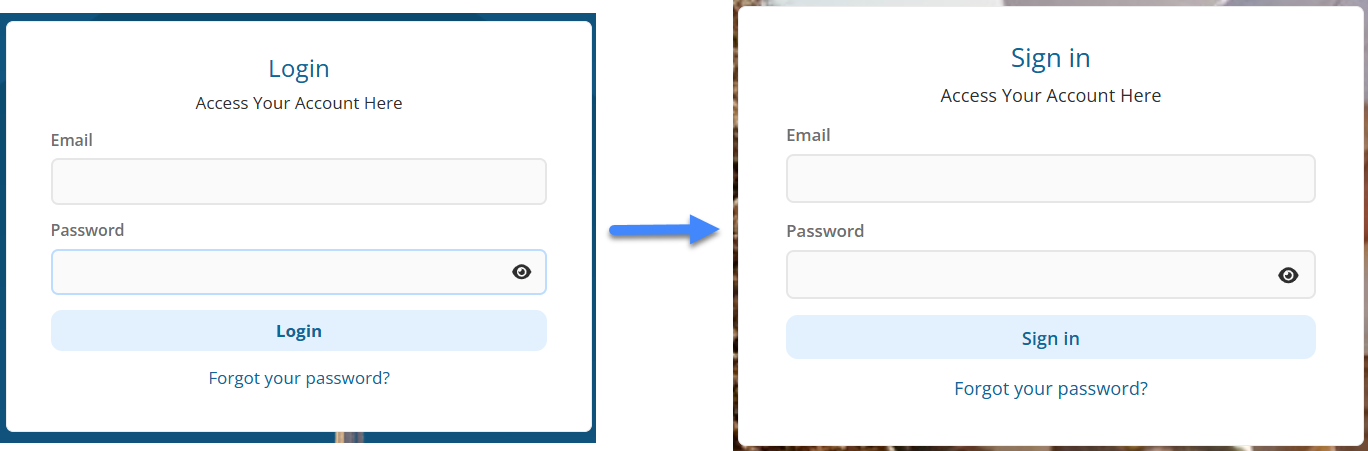
1️⃣ Login Terminology Updated
Login is now labeled Sign In
Logout is now labeled Sign Out
This aligns with modern SaaS standards and ensures consistent terminology across the platform.
2️⃣ Collaborator Flag Display Improvements
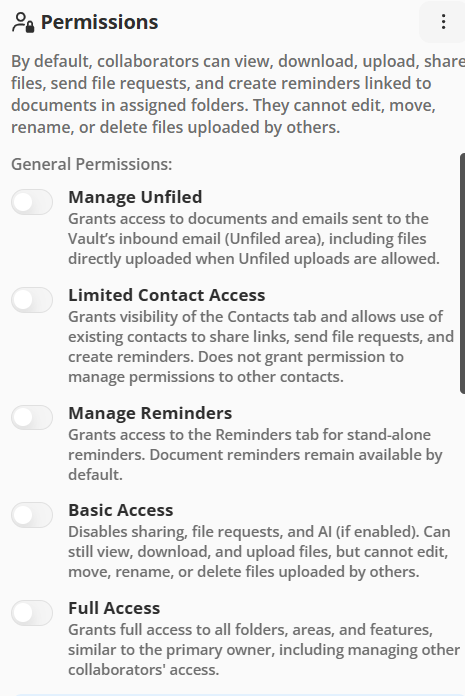
Collaborator feature flags now clearly indicate:
Which flags grant functionality
Which flags restrict or disable functionality
This makes permission management more transparent when configuring collaborator access.
3️⃣ Email Notifications Options Refined
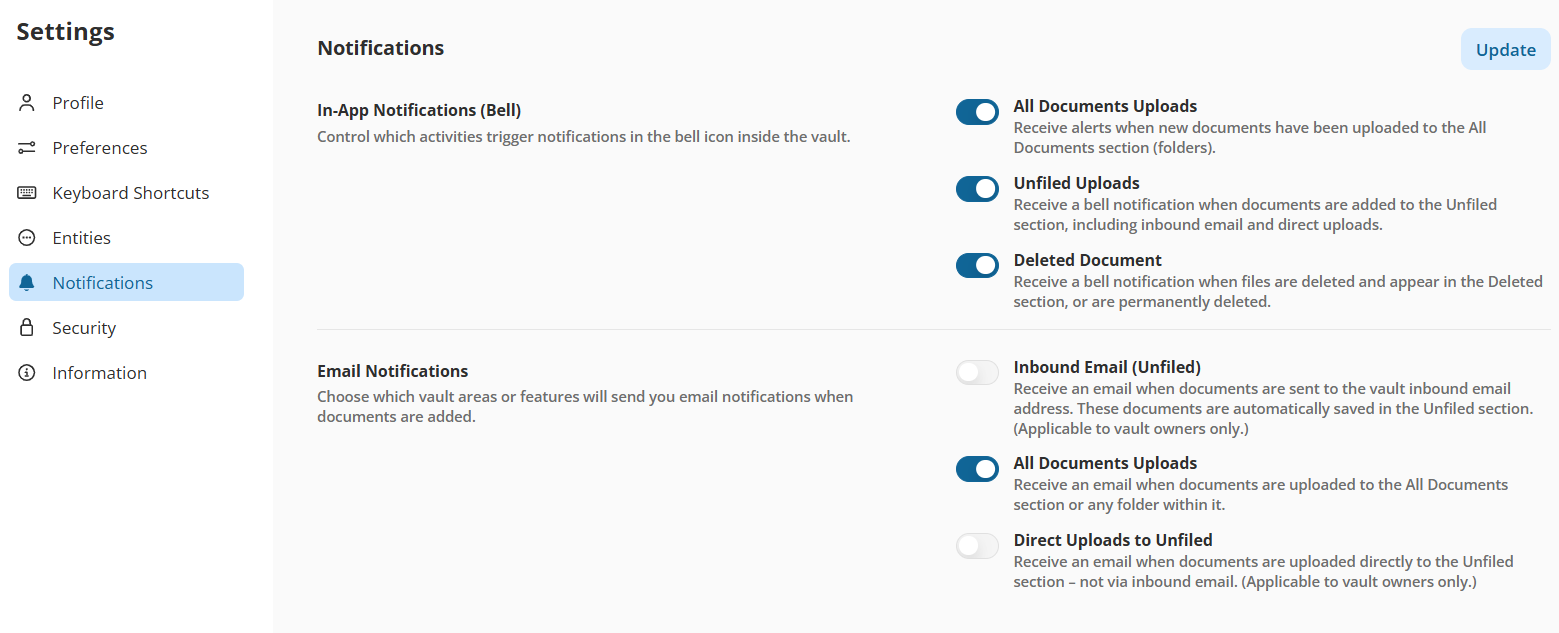
Email notification settings have been clarified to:
Better distinguish vault-level notifications
Improve clarity between in-app (bell) notifications and email notifications
Reduce ambiguity around when emails are triggered
These refinements ensure users understand exactly how and when notifications are delivered.
4️⃣ Share Tab Label Updates
Under the Share tab:
Shared With Others is now Shared via Email (Sent)
Shared With Me is now Shared via Email (Received)
This change clarifies that these sections track email-based sharing activity, not folder or permission-based access.
No functional changes were made — this is a terminology improvement only.

5️⃣ Unified “Accessed by [User Name]” Label Across All Vault Types
Previously:
The UI displayed the user’s role (e.g., Trusted Collaborator, Representative) under the vault name. This varied depending on the vault type and could create inconsistency in how the access context was presented.
Now:
For all vault types — Individual, Household, and Organization:
The system displays: “Accessed by [User Name]”
This appears under the vault name in the top-right corner.
This creates a consistent, role-neutral access indicator across all vault structures.