
We’ve added a highly requested improvement to help you personalize your vault experience. Users can now reorder the entities displayed in the side panel, giving you full control over how information is organized and accessed.
How It Works
Inside the vault, you will now see a six-dot drag icon next to each entity.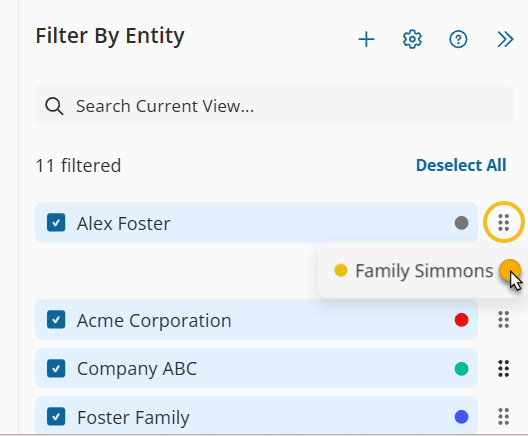
Simply click, drag, and drop to rearrange the order in which your entities appear.
This enhancement allows you to:
Prioritize frequently accessed entities
Create a structure that fits your workflow
Streamline navigation for faster access
Your customized order is saved automatically, making the vault feel more intuitive and tailored to your needs.
If you have suggestions or feedback, we’d love to hear them!