
Administrative users can now add up to 4 main contact cards in a vault and expand dashboard activity and insights for more visibility. Available on 2-tier portals. These enhancements give you more ways to present key contacts inside the vault and better access to activity and insights from your dashboard.
Add Up to 4 Main Contact Cards Inside Each Vault (2-Tier Portals Only)
Administrators can now customize the Main Contact section by adding up to four contact cards per vault. This allows you to highlight multiple key individuals—such as advisors, relationship managers, service teams, or specialists—directly where clients need them most.
What’s New
Add up to 4 contact cards inside the vault.
Customize the display to show the people who matter most to your clients.
Option to request a custom title for this section (e.g., “Your Advisory Team,” “Your Support Team”).
To enable or rename this section, simply contact your Customer Success team.
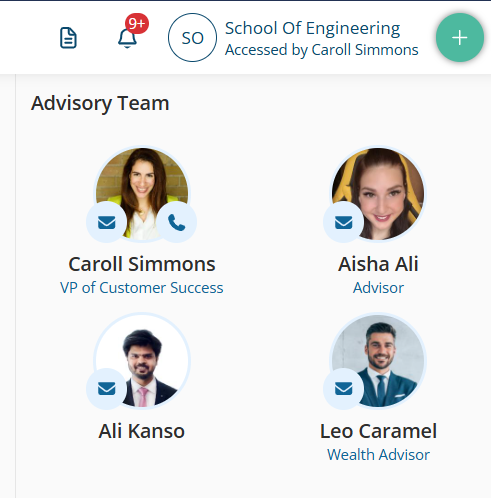
This enhancement improves clarity for end clients and gives administrative teams more flexibility in how they present support resources.
Expanded Dashboard: View More Activities & Insights
We’ve upgraded the Dashboard experience to provide deeper visibility into vault activity. You can now expand both the Recent Activities and Insights sections to view additional rows. Just click on the icon with the 2 arrows on the top-right corner of the section.
 Benefits
See more client activity at a glance.
Quickly identify recent uploads, shares, and interactions.
Gain clearer operational visibility without navigating to multiple pages.
This makes it easier to stay on top of important actions and ensure nothing is missed.
If you have questions or want to enable the new contact card options, your Customer Success team is here to help!